> ## Documentation Index
> Fetch the complete documentation index at: https://docs.squid.gg/llms.txt
> Use this file to discover all available pages before exploring further.
# User Manual
> Role-based tournament workflows, permissions, and lifecycle overview for Squid Tournament.
## Overview
Squid Tournament is a **web-based tournament management platform** designed to support both **public** and **organization-specific** competitions.
It enables administrators, organizers, teachers, and players to create, manage, and participate in tournaments using structured brackets, role-based access, and controlled match progression.
The platform prioritizes:
* Competitive integrity
* Clear role separation
* Scalable tournament workflows
It supports both **open public events** and **controlled institutional tournaments**.
***
## User Roles & Access Control
This section explains each role along with its **end-to-end operational flow**.
***
### Super Admin
**Scope:** System-wide authority across all public and organizational tournaments.
#### Capabilities
* Create **Public** and **Organizational** tournaments
* View and manage **all tournaments and teams**
* Full access to brackets, scoring, media, and announcements
#### Flow
1. Switch to **Super Admin**
2. Navigate to **Tournament**
3. View:
* All Tournaments (Public + Organizational)
* My Tournaments
4. Click **Create New Tournament**
5. Select:
* Tournament type (Public or Organizational)
* Game
6. Complete creation flow:
* Basics → Details → Settings → Bracket
7. Save as **Draft** or **Publish**
8. Manage tournament via:
* Overview
* Participants
* Bracket & scoring
* Media & Announcements
* Standings
#### Team Management
* Navigate to **Team**
* View all teams
* Create Public or Organizational teams
#### Visibility Rules
* Draft tournaments are visible **only to the creator**
* Published tournaments follow **role-based visibility**
***
### Organizer (Organization-Specific)
**Scope:** Tournaments and teams within a single organization.
#### Capabilities
* Create **Organization-only tournaments**
* Create and manage **Organization teams**
* Invite organization teams
* Manage brackets, match results, media, and announcements
#### Restrictions
* Cannot create Public tournaments
* Cannot interact with users or teams outside their organization
#### Flow
1. Switch to **Organizer**
2. Navigate to **Tournament**
3. View organization-specific tournaments only
4. Click **Create New Tournament**
* Organization auto-selected
* Public option disabled
5. Complete creation flow
6. Save as Draft or Publish
7. After publishing:
* Invite organization teams
* Manage matches and scores (if permitted)
***
### Teacher
**Scope:** Same functional flow as Organizer, with stricter ownership rules.
#### Flow
1. Switch to **Teacher**
2. Navigate to **Tournament**
3. Create an organization-specific tournament
4. Complete the full creation flow
5. Save as Draft or Publish
6. Manage tournament lifecycle and matches
#### Ownership Rules
* Tournaments created by a Teacher:
* Can be edited **only by the same Teacher**
* Organization Admins / Organizers:
* **Cannot edit** Teacher-created tournaments
* Draft tournaments created by a Teacher:
* Visible **only to that Teacher**
***
### Player
**Scope:** Participation-only access.
#### Capabilities
* View tournaments they are participating in
* Access:
* Overview
* Bracket (read-only)
* Standings
* Media
* Announcements
* Chat
#### Restrictions
* Cannot create or edit tournaments
* Cannot accept tournament invitations
* Cannot manage teams
#### Flow
1. Switch to **Player**
2. Navigate to **Tournament**
3. View tournaments where the player is a participant
4. Open tournament detail page
5. Interact via available sections and chat
***
### Team Captain
Each team has **one designated Captain**.
#### Responsibilities
* Receives tournament invitations
* Accepts or declines invitations on behalf of the team
* Selects team members when joining a tournament
#### Flow
1. Receive invitation notification
2. Open invitation
3. Accept or decline
4. Select participating team members
5. Confirm team participation
***
### Public Player
**Scope:** Public tournaments only.
#### Capabilities
* View all **Published Public Tournaments**
* Participate through a Public Team
* View:
* Overview
* Bracket
* Standings
* Media
* Announcements
* Chat
* Create **one Public Team** (if not already part of a team)
#### Restrictions
* Cannot access Organizational tournaments
* Cannot view Organizational teams
* Cannot accept invitations directly
* Cannot create multiple teams
#### Flow
1. Login as **Public Player**
2. Navigate to **Tournament**
3. View published Public Tournaments
4. If not part of a team:
* Navigate to **Team**
* Create a Public Team
* Select Public Players only
* Assign a Team Captain
5. Organizer invites the Public Team
6. Team Captain accepts the invitation
7. Player receives join confirmation
8. Access tournament details and chat
***
### Partner Role (FYI)
> The Partner role operates at the **same permission level as Super Admin**.
* Full system-wide access
* No functional differences in tournament or team workflows
* Exists for **hierarchy, ownership, and management purposes only**
***
## Tournament Types
### Public Tournament
* Created by Super Admin
* Visible to Public Players **after publishing**
* Draft state:
* Visible only to the creator
### Organizational Tournament
* Created by Super Admin, Organizer, or Teacher
* Visible only within the selected organization
* Draft state:
* Visible only to the creator
***
## Tournament Creation Flow
Tournament creation follows a **multi-step wizard**.
### Game Selection
* Select one available game
***
### Basics
* Tournament Name *(required)*
* Start Date & Time *(future dates only)*
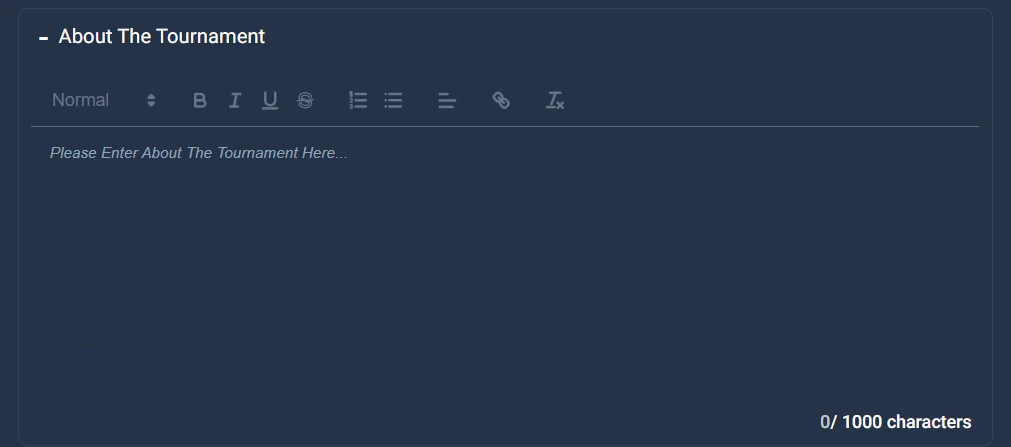
* Description
 ***
### Details
* Contact method *(required)*
***
### Details
* Contact method *(required)*
 * Platform selection
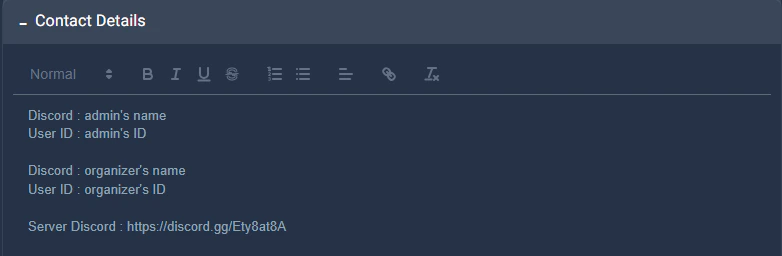
 * Contact details
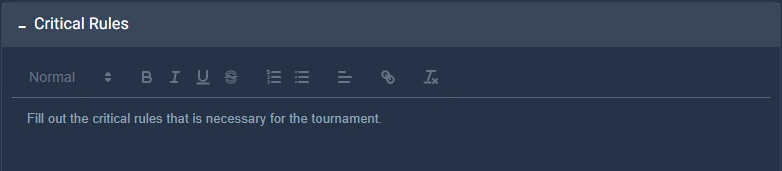
 * Critical rules
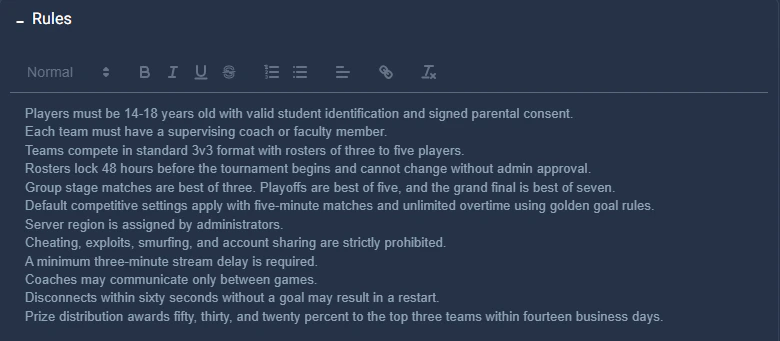
 * General rules
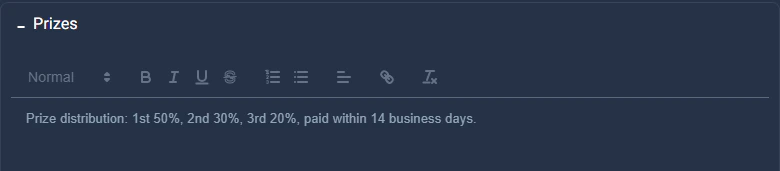
 * Prizes
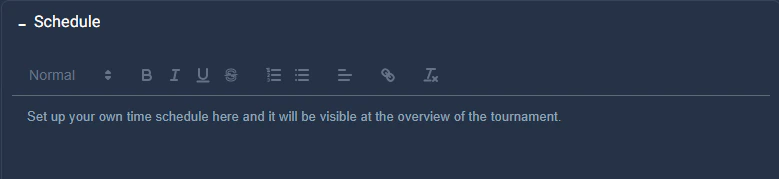
 * Schedule
 ***
### Settings
* Number of teams
* Players per team
* Check-in requirement
* Check-in start time
* Match score reporting:
* Organizer or Player
* Screenshot requirement (Yes / No)
***
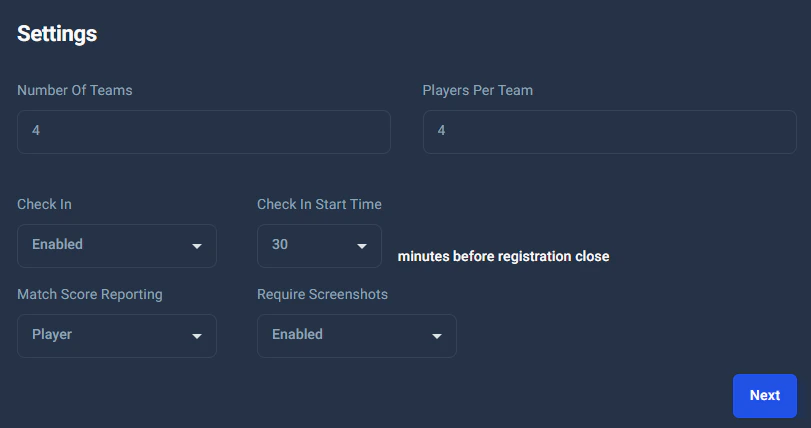
### Settings
* Number of teams
* Players per team
* Check-in requirement
* Check-in start time
* Match score reporting:
* Organizer or Player
* Screenshot requirement (Yes / No)
 ***
### Bracket Configuration
Supported formats:
* Single Elimination
* Double Elimination
**Best-of options:** 1, 3, 5, 7, 11
**Odd team count:**\
If the number of teams is odd, one team receives a bye and advances automatically.
***
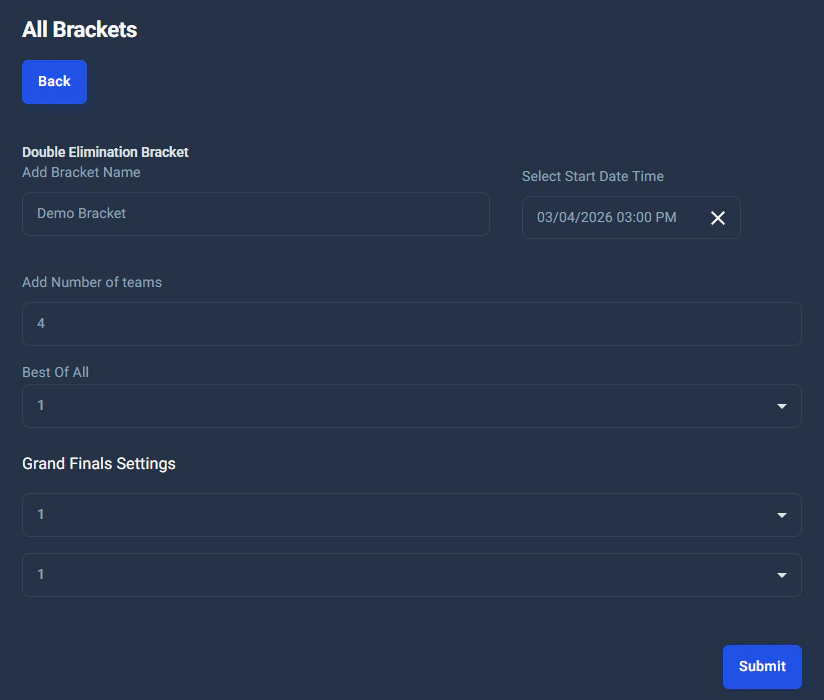
### Bracket Configuration
Supported formats:
* Single Elimination
* Double Elimination
**Best-of options:** 1, 3, 5, 7, 11
**Odd team count:**\
If the number of teams is odd, one team receives a bye and advances automatically.
 ***
## Tournament Lifecycle
States:
* Draft
* Published
* Started
**Rules**
* Draft tournaments cannot send invitations
* Brackets are locked once the tournament starts
***
## Tournament Detail Sections
Each tournament includes:
* Overview
* Participants
* Bracket
* Standings
* Media
* Announcements
* Chat
* Invite *(state-restricted)*
* Edit *(state-restricted)*
***
## Tournament Lifecycle
States:
* Draft
* Published
* Started
**Rules**
* Draft tournaments cannot send invitations
* Brackets are locked once the tournament starts
***
## Tournament Detail Sections
Each tournament includes:
* Overview
* Participants
* Bracket
* Standings
* Media
* Announcements
* Chat
* Invite *(state-restricted)*
* Edit *(state-restricted)*
 ***
## Team Management
### Public Teams
* Created by Super Admin
* Public Players only
### Organizational Teams
* Created by Super Admin, Organizer, or Teacher
* Linked to a single organization
* Organization Players only
**Team creation requires:**
* Team name
* Team image
* Team Captain (mandatory)
***
## Invitations & Notifications
* Tournament invitations are sent **only to Team Captains**
* Players receive confirmation once the Captain accepts
* Invitations are disabled for Draft tournaments
***
## Match Scoring & Progression
* Best-of rules enforced
* No tie states allowed
* Automatic match progression
* Bye logic applied when team count is odd
***
## Data Integrity & Validation Rules
* Minimum **4 teams** required
* Past dates are blocked across create/edit flows
* Role-based access enforced across all modules
* Brackets are immutable once the tournament starts
***
## Summary
Squid Tournament provides a **robust, role-driven tournament ecosystem** suitable for both public competitions and controlled organizational events. Its structured workflows, strict permission handling, and flexible bracket configurations ensure fairness, scalability, and operational clarity.
***
## Team Management
### Public Teams
* Created by Super Admin
* Public Players only
### Organizational Teams
* Created by Super Admin, Organizer, or Teacher
* Linked to a single organization
* Organization Players only
**Team creation requires:**
* Team name
* Team image
* Team Captain (mandatory)
***
## Invitations & Notifications
* Tournament invitations are sent **only to Team Captains**
* Players receive confirmation once the Captain accepts
* Invitations are disabled for Draft tournaments
***
## Match Scoring & Progression
* Best-of rules enforced
* No tie states allowed
* Automatic match progression
* Bye logic applied when team count is odd
***
## Data Integrity & Validation Rules
* Minimum **4 teams** required
* Past dates are blocked across create/edit flows
* Role-based access enforced across all modules
* Brackets are immutable once the tournament starts
***
## Summary
Squid Tournament provides a **robust, role-driven tournament ecosystem** suitable for both public competitions and controlled organizational events. Its structured workflows, strict permission handling, and flexible bracket configurations ensure fairness, scalability, and operational clarity.